5 Website Chatbot Mistakes Local Businesses Make (And How to Fix Them)
Avoid these common website chatbot mistakes. Learn how local businesses can optimize their AI assistants to capture more leads without frustrating visitors.

Adding an AI website assistant to your local business site is one of the highest-ROI marketing decisions you can make. It works 24/7, answers questions instantly, and captures leads while you sleep.
However, a tool is only as good as its implementation.
For another example of website automation, see Website Chatbots & Lead Gen.
Many business owners install a chat widget, turn it on, and then wonder why their website visitors are bouncing instead of leaving their contact information. The truth is, a poorly configured chatbot can actually create friction and frustrate potential customers, doing more harm than good to your brand.
Fortunately, conversational marketing is not a guessing game. By looking at data across thousands of local business websites, we have identified the most common implementation errors. In this guide, we will break down the top 5 mistakes local businesses make with their website chatbots—and exactly how you can fix them to maximize your lead generation.

Mistake 1: Pretending to Be Human
This is the oldest and most damaging mistake in the chatbot world. Business owners often name their chatbot “Jessica” or “Dave,” give it a stock photo of a smiling customer service rep, and program it to say, “Hi! I’m here to help.”
Consumers are smart. Within exactly one message, they will realize they are talking to a machine. When a visitor realizes they have been tricked, their immediate psychological reaction is distrust. If a business lies about who is answering the chat, what else are they hiding?
For a broader view of this topic, see The Cost of Missed Leads.
How to Fix It
Embrace the AI. Transparency builds trust. Give your assistant a name that reflects its digital nature (like “ServiceBot” or simply “Virtual Assistant”).
Set the expectations clearly in the welcome message: “Hi! I am the automated assistant for [Your Business]. I can help answer basic questions about our services or collect your details so our team can call you back. How can I help today?”
When users know they are speaking to AI, they actually adjust their language to be more direct and clear, which helps the AI give better answers.
Mistake 2: The “Interrogation” Approach
Imagine walking into a dental clinic and before the receptionist even says hello, they shove a clipboard in your face and say, “Name, phone number, and email. Now.” You would probably turn around and walk out.
Many businesses configure their chatbots to act exactly like this. The moment the chat window opens, it demands personal data before answering a single question.
As we covered in our lead qualification guide, the golden rule of conversational marketing is Value Before Extraction.
How to Fix It
Delay the lead capture until you have earned it. Program your AI to answer the visitor’s first question with zero friction.
If they ask, “Are you open on Saturdays?” the bot should immediately reply, “Yes, we are open on Saturdays from 9 AM to 2 PM!” Only after providing the answer should the bot pivot to lead capture: “I can help you secure an appointment for this Saturday. What is the best phone number to reach you at?”
Mistake 3: The “Blank Slate” Configuration
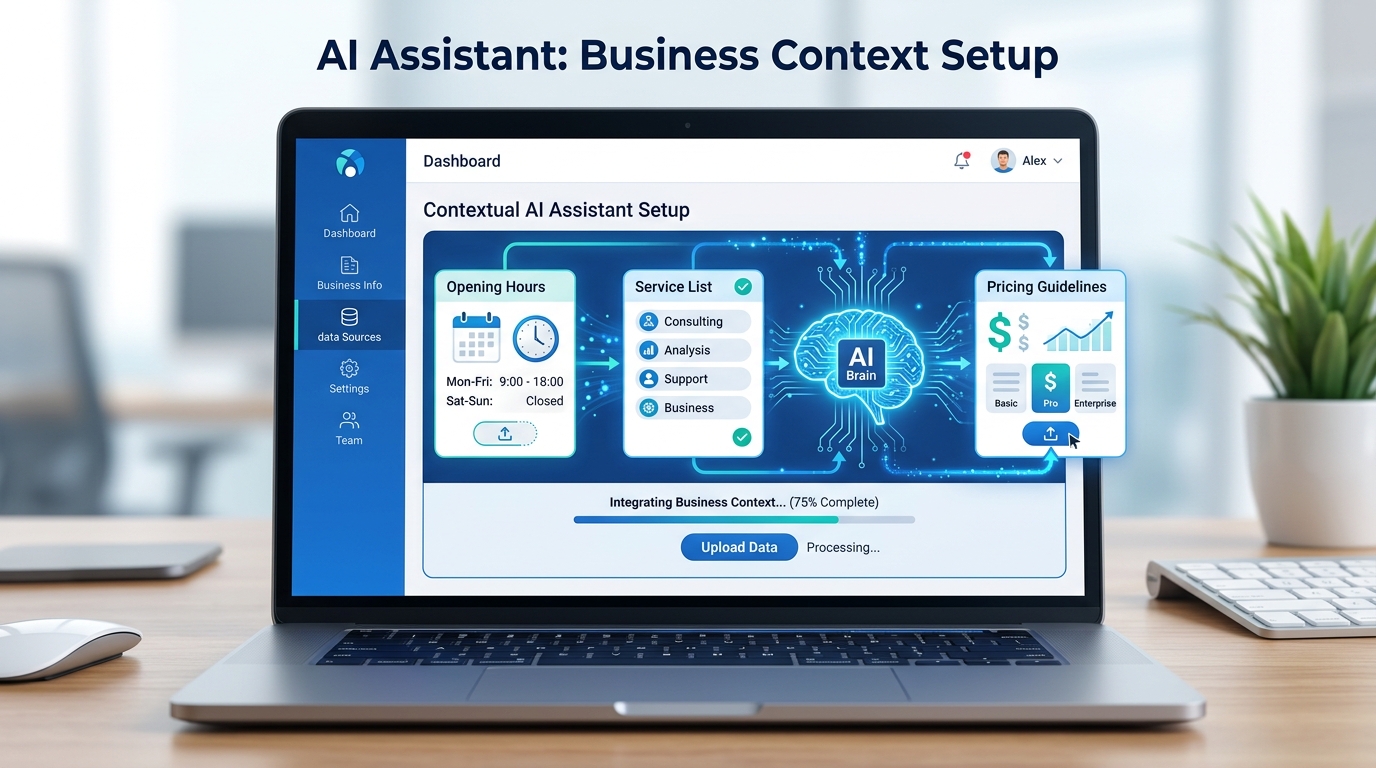
An AI is incredibly smart, but it cannot read your mind. One of the biggest reasons chatbots fail to convert is because the business owner never fed them enough local business context.
If a visitor asks a car service business, “Do you replace transmissions on BMWs?” and the bot replies, “I am sorry, I am just a bot and do not know that,” the visitor will immediately bounce. The chat provided zero value.
How to Fix It
You must train your AI assistant (the “brain”) with a comprehensive knowledge base about your specific business.
Take 15 minutes to write a plain-text document covering:
- Core Info: Exact address, parking instructions, opening hours, holiday closures.
- Service Catalog: Every specific service you offer, and explicitly list services you do not offer.
- Pricing: Your base rates, consultation fees, or a clear statement that “All jobs require an on-site estimate.”
- Policies: Warranty info, insurance accepted, cancellation policies.
The more context you give the AI, the more helpful it becomes. A helpful AI generates warm leads.

Mistake 4: Over-Promising and Confirming Fake Bookings
A highly enthusiastic AI can sometimes be a liability if it hasn’t been given strict boundaries. If you do not explicitly restrict the chatbot’s authority, it might try to be too helpful.
For example, a visitor might ask a cleaning service, “Can you come clean my house tomorrow at 9 AM?” If the AI says, “Yes, see you tomorrow at 9 AM!” without actually checking your real-world calendar, you have a massive operational disaster on your hands.
How to Fix It
You must program the AI with strict “Guardrails.” The assistant needs to know the difference between requesting an appointment and confirming an appointment.
Add a rule to your bot’s instructions: “Never confirm an appointment or promise an exact time slot. Always state that you are collecting an appointment REQUEST, and that the human dispatch team will call to confirm the final schedule.”
The correct AI response should be: “I would be happy to submit a request for tomorrow at 9 AM. Let me get your phone number so our manager can call you right away to confirm if that slot is open.”
Mistake 5: The “Black Hole” Handoff
The final mistake happens after the chat has successfully concluded. The AI did its job perfectly: it answered the question, collected the name, grabbed the phone number, and categorized the problem. It sent the lead to your email.
And then… you wait 24 hours to call them back.
In local business, the half-life of a web lead is incredibly short. If a person is looking for a lawyer or an emergency plumber, they are calling down a Google search list until someone answers. If your AI captures the lead but your human team drops the ball, the technology is wasted.
How to Fix It
Fix your internal notification processes.
- Speed to Lead: Treat chatbot inquiries with the same urgency as a ringing telephone.
- Set Expectations: Configure the AI to tell the user exactly when to expect a call. “Thanks! I’ve sent this to John, our head technician. He will call you from a 555-number within the next 15 minutes.”
- Follow Through: Make sure your email notifications are pushed to your mobile phone so you never miss a lead while out in the field.
Conclusion: Optimization is an Ongoing Process
Implementing an AI website chatbot is not a “set it and forget it” task. The most successful local businesses regularly review their chat logs to see what real customers are asking.
If you notice that 30% of your visitors are asking about a specific service that your bot doesn’t know about, you simply update the bot’s knowledge base. By avoiding these 5 common mistakes—pretending to be human, asking for data too soon, starving the bot of context, over-promising, and ignoring the leads—you will transform your chat widget from a frustrating gimmick into your most reliable sales asset.
FAQ
Should my chatbot pretend to be a real person?
No. Visitors can easily tell when they are speaking to a bot. Pretending to be human breaks trust. It is always better to clearly state that it is an AI assistant.
Why is my chatbot not generating any leads?
The most common reason is asking for contact information too early. If you ask for a phone number before providing value or answering their question, the visitor will leave.
Does my chatbot need to know everything about my business?
It doesn't need to know everything, but it must know your core business context: opening hours, service list, location, and your general pricing structure.
What happens if the AI chatbot gives the wrong answer?
If configured properly, an AI shouldn't guess. You must instruct the chatbot to safely pivot and say, 'I don't have that specific information, but if you leave your number, our manager will text you the answer.'
Is a long welcome message a bad idea?
Yes. A welcome message should be short, friendly, and guide the user on what they can ask. Long paragraphs get ignored.
Next step
To see an example of a perfectly configured AI assistant that avoids these mistakes, check out the internal Selvanto guide.
Read about Selvanto